Loading...

Blood Pressure Monitor

Check your blood pressure with a free app

Blood Pressure Monitor App: free & secure tracker
HOW TO DOWNLOAD

You will remain on the same website

Worried about your blood pressure and tired of scattered notes on paper? Loose numbers are easy to lose and hard to make sense of.

Every week without a clear picture makes it harder to know if your readings are trending up or down. Are you in a safe range, or heading toward high blood pressure? Guessing only adds stress, and stress can raise your numbers even more.

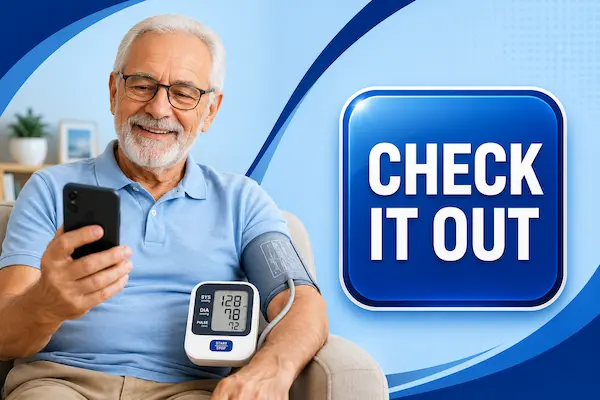
A free blood pressure app puts the answers in your hand. It records every reading, charts your trends with color zones, and lets you share a clean report with your doctor, all secure on your phone.

This is an independent, advertising-supported guide for general informational and educational purposes only. It is not affiliated with any app or company mentioned and does not provide medical advice, diagnosis, or treatment. A blood pressure app records and shares readings but does not diagnose disease, and accuracy depends on a validated cuff and proper technique. Always consult a doctor about concerning readings, and seek emergency care for very high numbers with symptoms.

Why download a blood pressure app today

First, know what a blood pressure app really does

A blood pressure app does not measure your numbers by itself. It records, charts, and shares readings that come from an arm cuff or monitor. Be careful with any app that claims to check blood pressure with your phone camera or a finger on the screen. Those are not clinically validated and can be dangerously wrong.

The best app to check blood pressure works with a real cuff. You take my blood pressure on my phone by entering the numbers by hand, or by syncing a Bluetooth monitor. Either way is fine and reliable.

Track your blood pressure in seconds

A good app turns each reading into a clear picture. You log systolic, diastolic, and heart rate, and the app stores it safely. Over days and weeks, you see trends instead of isolated numbers. That is the real value of a blood pressure taker app.

Want to test my blood pressure app style tracking without the mess? Manual entry works with any monitor, so you can check blood pressure from your phone no matter which cuff you own.

See clear charts and color zones

The best app to monitor blood pressure shows color-coded ranges, from normal to high. That makes it easy to know where you stand at a glance. A strong bp monitor app for iPhone or Android highlights high readings so nothing slips past you.

Color zones also lower the worry many people feel around their monitor. Instead of staring at one scary number, you see the bigger trend and can act with a clear head.

Get reminders that build the habit

Life is busy, and it is easy to forget. A blood pressure app sends gentle nudges at your chosen times, like morning before medication and evening before bed. This is what makes it the best app to keep track of blood pressure over the long run.

As a bp recording app, it does the remembering for you. You just measure, log, and move on with your day.

Sync with your phone and cuff

Many apps connect blood pressure with phone platforms like Apple Health, Google Fit, and Samsung Health. If you own a smart cuff from a trusted maker, readings sync over Bluetooth with no typing. You can also check blood pressure on iPhone by letting a validated cuff feed data into Apple Health.

A quick note on wearables. No Apple Watch or smart watch measures blood pressure on its own. A blood pressure app for Apple Watch or a blood pressure app for smart watch shows your logged numbers, but you still need a cuff for the real reading.

Share doctor-ready reports

Clinicians need more than a few numbers. The best app for blood pressure check lets you export a PDF or CSV summary with your averages, ranges, and graphs. You bring that to your appointment, and your doctor sees clear trends.

That is why many doctors recommend a reliable app to check my blood pressure at home between visits. Better data leads to better decisions about your care.

Keep your data safe and free

Because blood pressure is health data, privacy matters. A trustworthy real blood pressure app states clearly what it collects and whether it shares your data. The best free apps keep core tracking free, with no paywall on the basics.

Before you commit, check that manual entry, daily charts, and export are free. A truly useful free blood pressure app should not lock basic tracking behind a subscription.

Easy to use on any phone

You do not need to be tech savvy. Setup takes a few minutes. Choose manual entry or pair your cuff, then start logging. The clean, mobile-first design works on any phone, old or new, which is why so many call it the best app to check blood pressure.

From a first high reading to daily hypertension management, the right app grows with you. It is a tracker, a chart tool, and a report maker in one, free, right in your pocket.

Frequently asked questions

Can a phone app check my blood pressure without a cuff?

No. Current phones cannot safely measure blood pressure on their own. Any app that claims to check blood pressure with your camera or a finger on the screen is not validated. You still need an arm cuff, then the app records and charts your numbers.

Is this blood pressure app really free?

Yes. The top apps are free to download and use for the basics, like logging, daily charts, and export. Some add optional paid features, but a good free blood pressure app should never lock basic tracking behind a paywall.

What is the best blood pressure app for iPhone?

For iPhone, use Apple Health as your data hub and pair it with a companion app for charts and PDF reports. This lets you check blood pressure on iPhone with a validated cuff, and it is one of the best bp monitor app for iPhone setups, all free.

Can I share app readings with my doctor?

Yes. Most apps let you export a PDF or CSV report, or sync through Apple Health or Google Fit, which many clinics accept. A clean report gives your doctor clear trends instead of a few loose numbers, and supports better care.

This content was written by:

Luiz Maciel

Luiz Maciel

Communication enthusiast, Luiz specializes in developing content for websites.

Our site serves as an information hub, providing impartial and reliable content to the public.

All content from CDIN Online is protected by property laws. Unauthorized reproduction is strictly prohibited.

LEGAL NOTICE: CDIN Online technology, applications, careers, and general news. We have no affiliation with the brands mentioned and never request personal or banking information. Our mission is to inform our readers.

HOW TO DOWNLOAD

You will remain on the same website