Loading...

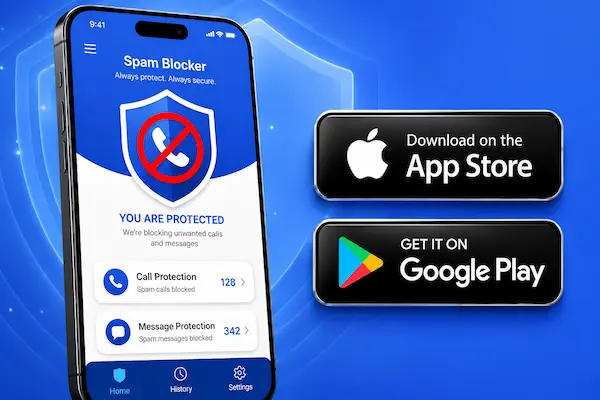
Spam Blocker App

Stop getting spam! Just download this app (100% free) and you'll never receive unwanted messages or calls again.

Spam blocker app V4
BEST SPAM BLOCKER APP

You will remain in the same website

Your phone rings again. Unknown number. You answer, and it is another recorded voice about a car warranty, a fake prize or a “problem” with your account.

It happens at dinner, at work and late at night. Every call you answer tells scammers your number is active, and the calls get worse. Some even use AI voices that sound like your bank or a family member in trouble.

A free spam blocker app ends this cycle. It spots spam, scam and robocall numbers before you pick up, so your phone rings only for the calls that matter.

CDIN is an independent, advertising-supported content site. We are not affiliated with any app developer mentioned. App features and prices may change, so always check the official app store page.

Why spam calls are more than just annoying

Spam calls waste your time, but the real danger is fraud. Many robocalls are not trying to sell you something. They are trying to get your Social Security number, your bank login or a quick payment by gift card.

Scammers know that people trust local numbers. That is why they fake area codes that look like your town, your doctor or your kid’s school. This trick is called spoofing, and it is one reason so many smart people still get fooled.

Older adults are a frequent target. Fake Medicare offers, fake Social Security suspensions and fake grandchild emergencies are common scripts. One answered call can turn into hours of stress or a real loss of money.

The good news is that you do not need to change your number or stop using your phone. A spam blocker app gives you back control in a few minutes.

How a spam blocker app stops unwanted calls

A spam blocker app compares every incoming number with a large database of reported spam and scam numbers. If there is a match, the app labels the call or blocks it before it rings.

That database is built by millions of users who report bad numbers every day. Some apps also use carrier data and call pattern analysis. When a new scam number appears, it gets flagged fast.

On iPhone, the app works through a built-in Apple feature called Call Blocking and Identification. You turn it on once in Settings, and it keeps working even when the app is closed.

It does not listen to your conversations. It simply checks the number and tells your phone what to do.

Automatic spam blocking that works in the background

Automatic blocking is the feature most people want first. Once it is on, known spam and robocall numbers are stopped without you lifting a finger.

You will not hear the phone ring for those calls. They are silenced or sent away, so your day is not interrupted by recorded sales pitches.

You can also build a personal blocklist. Add any number you never want to hear from again, like a persistent telemarketer or an ex-coworker who will not stop calling.

This is protection that works quietly, day and night, with no extra effort after setup.

Real-time caller ID for unknown numbers

Caller ID shows you who is calling, even when the number is not in your contacts. Instead of a random string of digits, you see a name, a business or a warning label.

Labels like “Spam”, “Telemarketer” or “Fraud risk” help you decide in a second. Answer the pharmacy. Ignore the fake debt collector.

This is very helpful if you are waiting for a call from a new doctor, a job interview or a delivery driver. You can pick up with confidence instead of letting everything go to voicemail.

Real-time caller ID turns your phone from a guessing game into a clear screen you can trust.

Scam text filtering keeps fake links away

Scam texts are now as common as spam calls. Fake delivery notices, locked account alerts and prize messages all try to get you to tap a link.

Some spam blocker apps scan those messages and warn you when a link looks dangerous. Others let you paste a link or a screenshot to check it before you open it.

Your iPhone also has a free option called Filter Unknown Senders. It moves texts from people not in your contacts to a separate list, so they do not mix with messages from friends and family.

Together, these tools keep phishing links far from your fingers and your bank account.

Unknown number lookup in seconds

Missed a call from a number you do not know? A lookup tool lets you search it and see if other people have reported it.

You will often see comments like “fake IRS call” or “car warranty robocall” within seconds. That saves you from calling back a scammer and confirming your number is real.

Lookup also works for numbers you find in letters, emails or online ads. If something feels off, check it first.

It is a simple habit that can prevent a lot of trouble.

Fraud call alerts and extra protection

Some apps now go beyond blocking. They warn you during a live call when the caller uses common fraud tactics, like urgent payment demands or threats of arrest.

Others can detect AI-generated voices. This matters because scammers now copy voices to sound like real people you know.

Call screening is another helpful extra. An automated assistant answers unknown callers and asks why they are calling, so you only talk to people with a real reason.

These advanced tools are often part of a paid plan, but the free version of a good app already blocks a large share of the noise.

How to choose the best spam blocker app for you

Start with what bothers you most. If it is robocalls, pick an app with strong automatic blocking. If it is scam texts, choose one that checks links and messages.

Always download from the official App Store or Google Play. Check the developer name, the rating and the number of reviews. Read the App Privacy section to see what data the app collects.

Look at what is free and what is paid before you install. The best apps make this clear on their store page, and many let you try premium tools for free first.

On the next page, we compare the top 5 free spam blocker apps side by side and show you exactly how to set one up on your phone.

Frequently asked questions

Is the spam blocker app really free?

Yes. The top spam blocker apps are free to download from the official App Store, and their basic protection costs nothing. Some offer optional paid plans with extras like call screening or AI voice detection, always shown on the store page before you pay.

Does a spam blocker app work on iPhone?

Yes. On iPhone, spam blockers work through the Call Blocking and Identification setting. After installing the app, open Settings, tap Apps, then Phone, and switch the app on so it can label and block calls.

Will I miss important calls if I use a call blocker?

No. Spam blockers only stop numbers that have been reported as spam, scam or robocalls. Calls from your contacts and normal numbers ring as usual, and you can unblock any number in a tap.

Is it safe to install a robocall blocker app?

It is safe when you download from the official App Store or Google Play and choose a well-known developer with many reviews. Never install a call blocker from a link sent by text message or email.

This content was written by:

Luiz Maciel

Luiz Maciel

Communication enthusiast, Luiz specializes in developing content for websites.

Our site serves as an information hub, providing impartial and reliable content to the public.

All content from CDIN Online is protected by property laws. Unauthorized reproduction is strictly prohibited.

LEGAL NOTICE: CDIN Online technology, applications, careers, and general news. We have no affiliation with the brands mentioned and never request personal or banking information. Our mission is to inform our readers.

BEST SPAM BLOCKER APP

You will remain in the same website