How to get a free smartphone from the government
Discover how to qualify and apply for a free government smartphone!
Advertising
FREE SMARTPHONE 📲
How to get a free smartphone from carriers
HOW TO GET 🔥You will remain in the same website
What “free smartphone from the government” really means
The U.S. government does not usually hand out phones directly to consumers.
Instead, the Federal Communications Commission’s Lifeline program provides a monthly discount that eligible households can apply to phone or internet service through participating providers.
In many states, the Lifeline discount is up to $9.25 per month for eligible households.
If you live on qualifying Tribal lands, the enhanced Lifeline discount can be up to $34.25 per month.
Some Lifeline providers advertise a “free phone” or “free smartphone.”
That phone is typically a provider promotion that comes with service, and the exact device model depends on your state and current inventory.
So the honest version is this: you may be able to get a free smartphone from the government benefit system, but you receive it from a participating phone company, not from a government office.
Lifeline vs ACP
You might also hear people talk about ACP, the Affordable Connectivity Program.
ACP ended effective June 1, 2024 due to a lack of additional funding, so it should not be your plan for a phone discount today.
Lifeline is still active, and it’s the main federal option you should focus on right now if you’re searching for a “free smartphone from the government.”
Free smartphone from the government eligibility checklist
You can qualify for Lifeline based on income or by participating in certain government assistance programs.
Eligibility is determined through the National Verifier, Lifeline’s centralized eligibility system managed by USAC.
Option 1: Qualify based on income
A common path is gross household income at or below 135% of the Federal Poverty Guidelines.
The threshold depends on your household size and state, and USAC updates the table over time.
Option 2: Qualify based on a government assistance program
You may qualify if you or someone in your household participates in a qualifying program.
Common examples include Medicaid, SNAP, SSI, Federal Public Housing Assistance, and Veterans Pension or Survivors Benefit.
There are also certain Tribal assistance programs that can qualify you in some cases.
If you’re not sure which program category you fall into, the National Verifier application flow will guide you.
The one-per-household rule
Lifeline is limited to one benefit per household, not one per person.
USAC defines a household as people who live together and share money, even if they are not related.
If you live with others but do not share income and expenses, you may be considered separate households.
In those cases, you may need to complete a household worksheet process depending on your situation.
What you need before you apply
Some people get approved quickly because the National Verifier can automatically confirm eligibility through databases.
Other people need to upload documents for manual review.
Common documents that help
- Proof of identity, like a government-issued ID, depending on what the system requests.
- Proof of eligibility, like a benefits letter or program document, if you qualify through a program.
- Proof of income, like pay stubs or a tax document, if you qualify through income.
- Proof of address, especially if your mailing address is different from where you live.
The most important practical rule is readability.
Your document images should be clear, uncut, and easy to read, with all corners visible.
How to get a free smartphone from the government with Lifeline
The safest, cleanest approach is a two-step flow: get approved first, then choose a company.
This prevents you from getting stuck in a provider checkout process before your eligibility is confirmed.
Step-by-step tutorial 1: Apply online using the National Verifier
- Open the official Lifeline “Get Started” page and select the online application option.
- Create your application profile and enter your legal name exactly as it appears on your documents.
- Enter your date of birth and your home address carefully, including apartment or unit number if you have one.
- Provide the requested identity details, such as the last four digits of your Social Security Number, if asked.
- Select how you qualify, either by income or by participation in a qualifying government program.
- Submit the application and watch for prompts asking for documents if automated checks cannot confirm your information.
- If documents are requested, upload clear images through the portal and confirm you receive a submission confirmation.
- Save your approval information so you can use it when enrolling with a provider.
Step-by-step tutorial 2: Apply through a participating phone or internet company
You can apply online, by mail, or through a participating provider, and some providers guide you through the National Verifier steps.
This can be helpful if you want live assistance, but you should still verify the provider is legitimate first.
- Use the official “Companies Near Me” tool to confirm the provider is listed for your zip code or your city and state.
- Start enrollment from the provider’s official website, not from a random ad link.
- Confirm the provider states that eligibility is verified through the National Verifier or your state process.
- Enter the same personal information you would enter on the National Verifier portal, and avoid nicknames or abbreviations.
- Ask about any fees before you submit, including shipping fees, optional upgrades, or replacement policies.
- Save screenshots or confirmation emails that show what you selected, including whether a phone was included.
Step-by-step tutorial 3: Apply by mail
If online application is not working for you, you can apply by mail using official Lifeline forms.
Mail can be slower, but it’s a valid option if you prefer paper documentation.
- Print the official Lifeline application form from the Lifeline Support website or request a copy.
- Fill out every required section and initial or sign where requested.
- Photocopy your proof documents and never mail original IDs.
- Make sure your name and address match across your form and documents as closely as possible.
- Mail the packet to the Lifeline Support Center address listed on the official instructions.
- Keep a copy of everything you send, and consider using tracked mail if you can.
Important note for California, Oregon, and Texas
If you live in California, Oregon, or Texas, you may be directed to use a state-specific process.
Follow the instructions shown on the official Lifeline “Get Started” page for those states, because the workflow can differ.
If you’re unsure which process applies to you, start with the official Lifeline Support pages and then contact the Lifeline Support Center for guidance.
Avoid third-party “application helpers” who ask for money or pressure you.
Free smartphone from the government: how to choose the right company
After you qualify, you choose a provider and enroll to receive service.
This is where you compare phone offers, coverage, and rules like shipping fees and upgrade options.
Use the official provider finder first
The most reliable way to find real Lifeline providers in your area is the official “Companies Near Me” tool.
If a company is not listed for your area, do not give them your personal information.
What to compare when you want a free smartphone
- Whether the plan becomes $0 per month in your state after the Lifeline discount is applied.
- Whether the provider includes a free smartphone, or only offers a SIM card for bring-your-own-phone customers.
- What network coverage feels like where you live, work, and commute, because “nationwide” can still mean weak spots.
- How much high-speed data you get and what happens after you use it.
- Customer support quality, especially if you need help with activation, porting a number, or replacements.
Providers you may see in Lifeline searches
Which providers appear depends on your state and zip code, so treat this list as examples, not guarantees.
Common Lifeline brands people often see include SafeLink Wireless, Assurance Wireless, TruConnect, Life Wireless, Access Wireless, StandUp Wireless, enTouch Wireless, TAG Mobile, and AirTalk Wireless.
Before enrolling, verify the provider appears in the official tool for your location and read the offer details carefully.
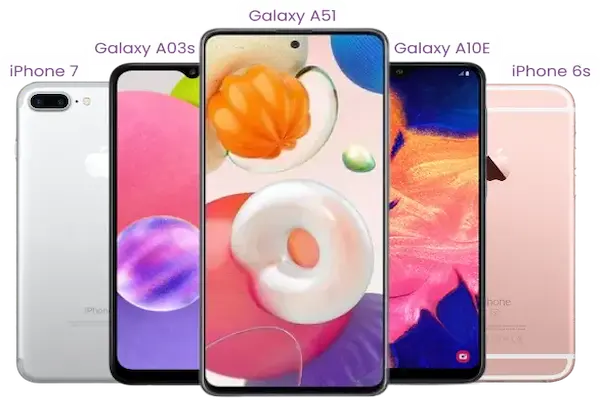
Phone models can change without notice when inventory changes.
A serious warning about Q Link Wireless
If you see marketing that pushes Q Link Wireless for Lifeline, verify carefully before you proceed.
The FCC has issued debarment actions barring Q Link Wireless, LLC from involvement with the federal Lifeline program and other FCC-administered universal service mechanisms.
If you are impacted by a provider issue, the safe move is to use the official provider finder and transfer your Lifeline benefit to an eligible company.
Do not share sensitive information with look-alike sites pretending to be “government phone” enrollment portals.
How the phone delivery and activation usually works
Some providers ship a phone, while others ship a SIM card for your existing device.
Your exact steps will vary, but the overall flow is usually consistent.
Step-by-step tutorial: Ordering your phone or SIM
- Start enrollment on the provider’s official website for your state.
- Enter your details exactly as they appear in your Lifeline application to avoid mismatches.
- Select the device option offered, such as “free smartphone” if available, or “bring your own phone.”
- Review the checkout page for any shipping fees, optional upgrades, or accessories you did not intend to add.
- Submit the order and save your order number, tracking details, and customer support contact information.
Step-by-step tutorial: Activating your Lifeline phone
- Charge the phone fully before you start.
- Insert the SIM card if the provider shipped one and the instructions say to insert it first.
- Connect to Wi-Fi if possible so updates do not use your mobile data.
- Follow the provider’s activation steps using your order details and any verification prompts.
- Restart the phone after activation to refresh network settings.
- Test calling, texting, and mobile data to confirm everything works.
Can you keep your current phone number
Many providers allow you to port your current number, but you must request it during sign-up.
Do not cancel your old service before the port completes, because that can cause you to lose the number.
Tribal Lifeline benefits that can make service even cheaper
If you live on qualifying Tribal lands, Lifeline can provide a larger monthly discount than the standard benefit.
Tribal Lifeline can also include additional support, such as up to a $100 reduction for first-time connection charges in eligible cases.
Because Tribal eligibility and documentation can be more specific, follow the official Tribal benefit guidance closely.
If you’re unsure, apply and respond to document requests carefully, because small mismatches can slow review.
How to keep your Lifeline benefit active once you get it
Getting approved is only step one, because Lifeline has ongoing rules.
If you follow them, you keep your benefit and avoid surprise shutoffs.
Use it or lose it
If your Lifeline service is free, you must use it at least once every 30 days to maintain your service.
If you don’t, your provider should send a 15-day notice, and your service can be turned off if you still don’t use it.
Recertify when asked
Lifeline requires ongoing eligibility confirmation, and you may be asked to recertify your eligibility.
When you are asked to recertify, you must do so within the stated window or you can lose your Lifeline benefit.
Report changes within 30 days
If you move, no longer qualify, or your household status changes, notify your provider within 30 days.
This protects you from compliance issues and reduces the risk of benefit loss.
Switching providers if coverage or support is bad
If your service is unreliable, you can transfer your Lifeline benefit to another participating provider.
The safest method is to enroll with the new provider and request the transfer during the sign-up flow.
How to avoid scams promising a free smartphone from the government
Because Lifeline is a real federal benefit, scammers often copy official language to look legitimate.
Your best protection is to rely on official tools and never pay “government fees” for eligibility.
Red flags that should make you stop immediately
- A website guarantees a specific premium phone model for everyone, in every state, with no conditions.
- Someone claims you must pay USAC, the FCC, or a “government processing office” to be approved.
- A salesperson pressures you to share sensitive identity information without showing an official enrollment workflow.
- The provider does not appear in the official “Companies Near Me” results for your location.
Smart safety habits that take two minutes
- Start on official Lifeline Support pages and use the official provider finder.
- Save screenshots of your selections, especially phone offers and checkout totals.
- Use strong passwords for any application portal accounts you create.
- If something feels off, stop and contact the Lifeline Support Center through official channels.
FAQ about getting a free smartphone from the government
Is there really a free phone program
Lifeline is primarily a monthly discount on service, and some providers add a phone promotion.
So “free phone” is possible, but it depends on your provider, your state, and inventory.
What if I get denied
If you are denied, read the reason carefully and correct what you can, like document quality or mismatched information.
If you believe the denial is wrong, follow the official dispute or reapplication guidance provided in the decision notice.
What if my service gets turned off
If your service was turned off, it may be because you did not use the service within the required period.
Follow the official “my service was turned off” guidance and contact your provider for restoration steps.
Can I get more than one Lifeline phone
No, Lifeline is limited to one benefit per household.
If multiple people in the home apply, it can trigger compliance issues and benefit loss.
Next steps you can do today
Start by applying through the official National Verifier process, because approval makes the rest faster and cleaner.
Then use the official “Companies Near Me” tool to compare what providers and phone offers are actually available in your zip code.
When you follow the official path, a “free smartphone from the government” stops being a vague rumor and becomes a straightforward, legitimate enrollment process.
And once you’re connected, you can use that phone for job searches, school logins, telehealth, and everything else modern life demands.